70% Special Offer
Great Outcomes Start with SPIRA
The only project management tool you need to plan, track, and present your academic projects — all in one place.
GradGeeks — powered by GeeksLife Tech, Australia.
The only project management tool you need to plan, track, and present your academic projects — all in one place.
SPIRA is a smart project tool for students to manage tasks, collaborate in teams, and experience real-world workflows during college projects.


SPIRA is a student-first project tool that helps you plan, track, and collaborate on academic projects with ease. With agile boards and real-time updates, it brings corporate-style project experience into the classroom.
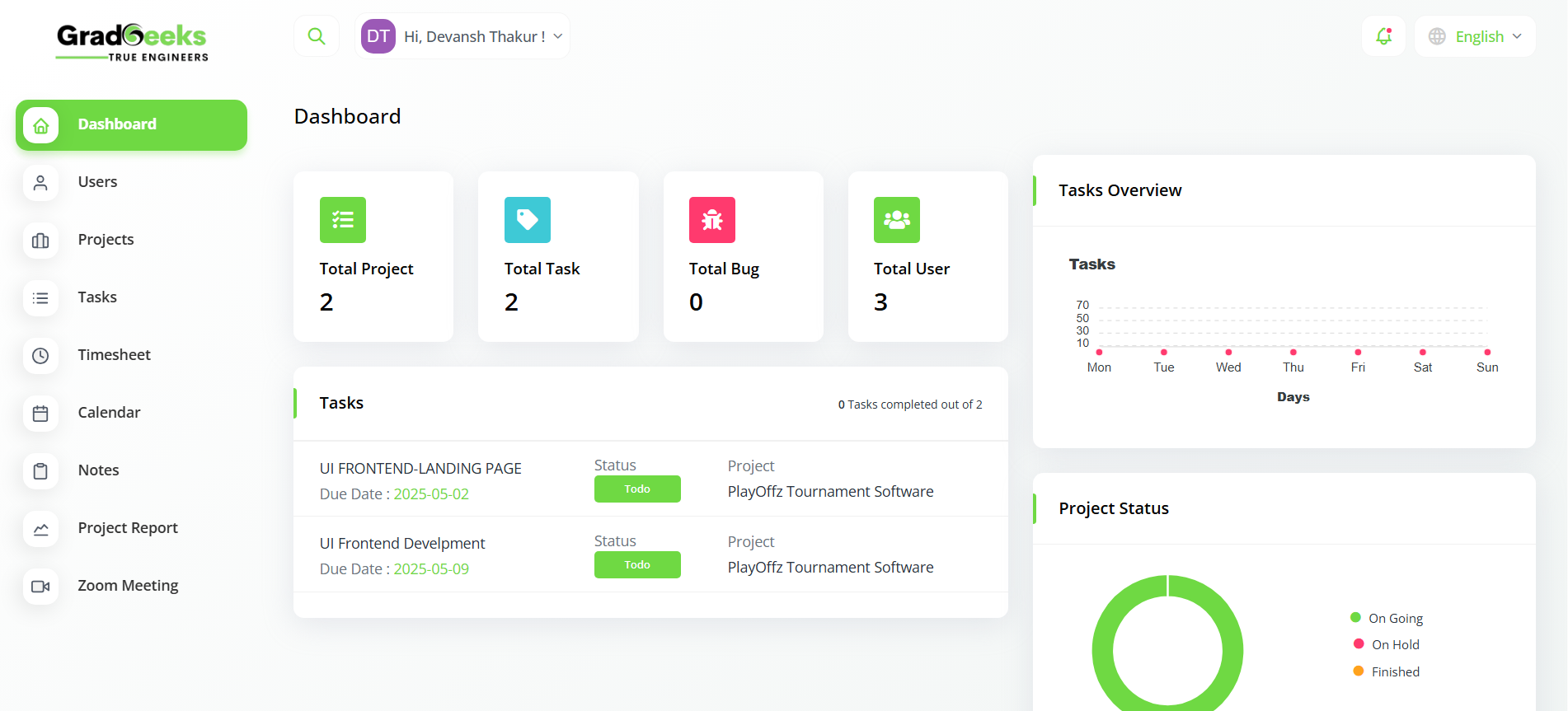
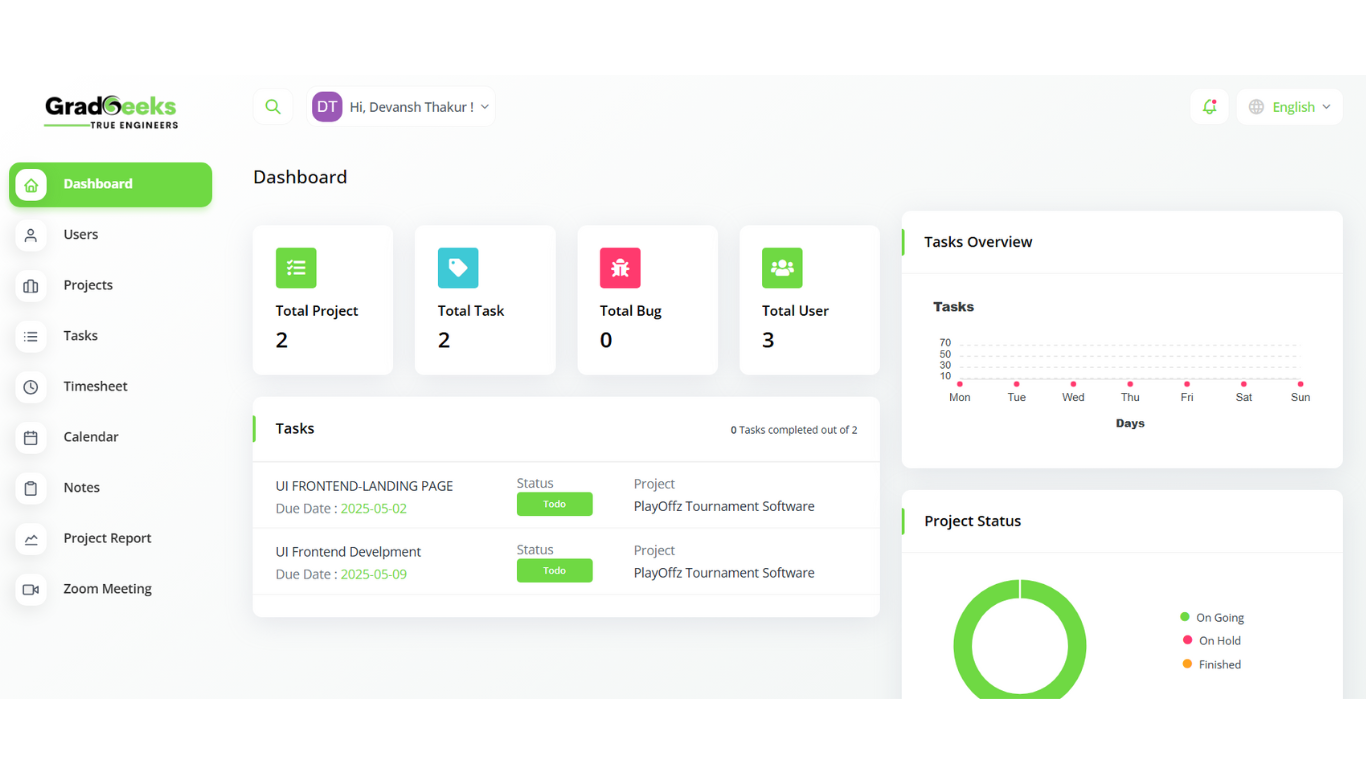
Get a clear overview of all your projects, tasks, and team activity in one place. Track progress, deadlines, and stats with visual charts and smart navigation tools.
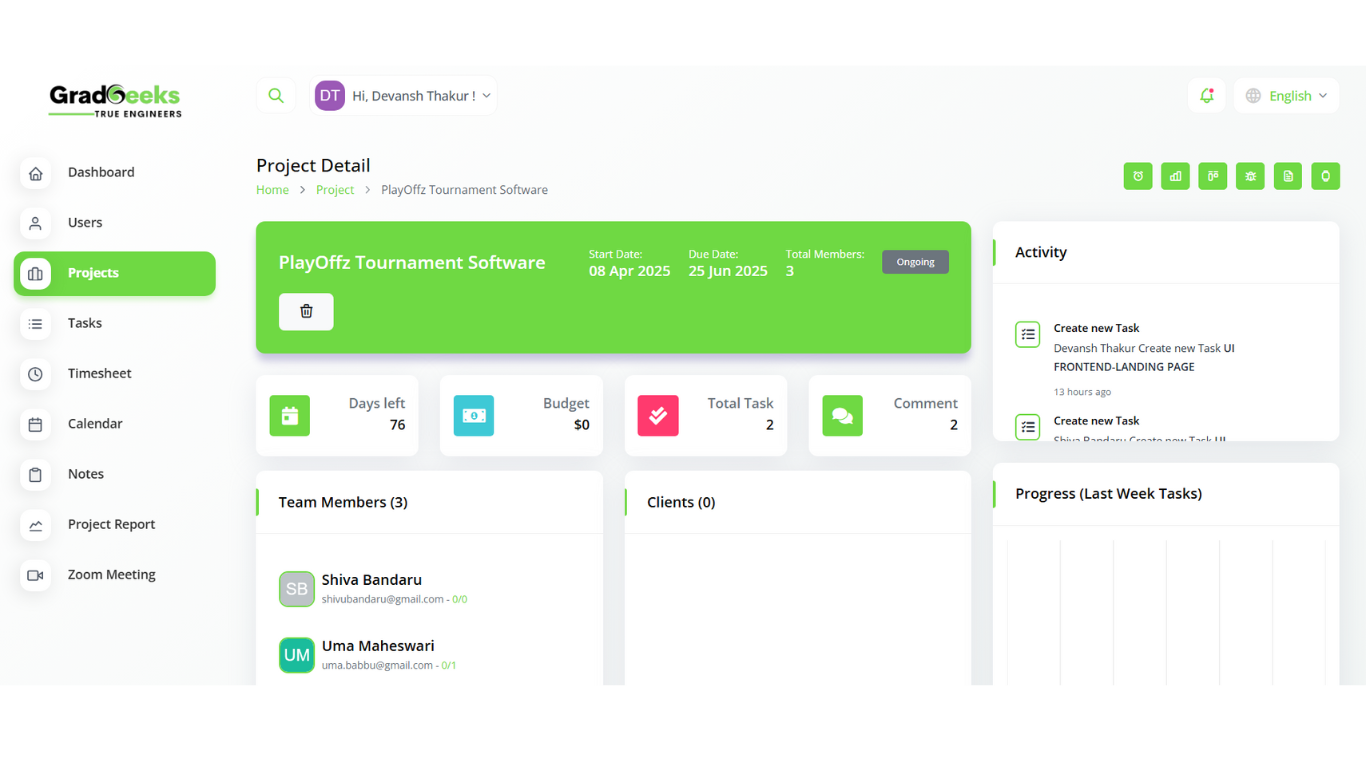
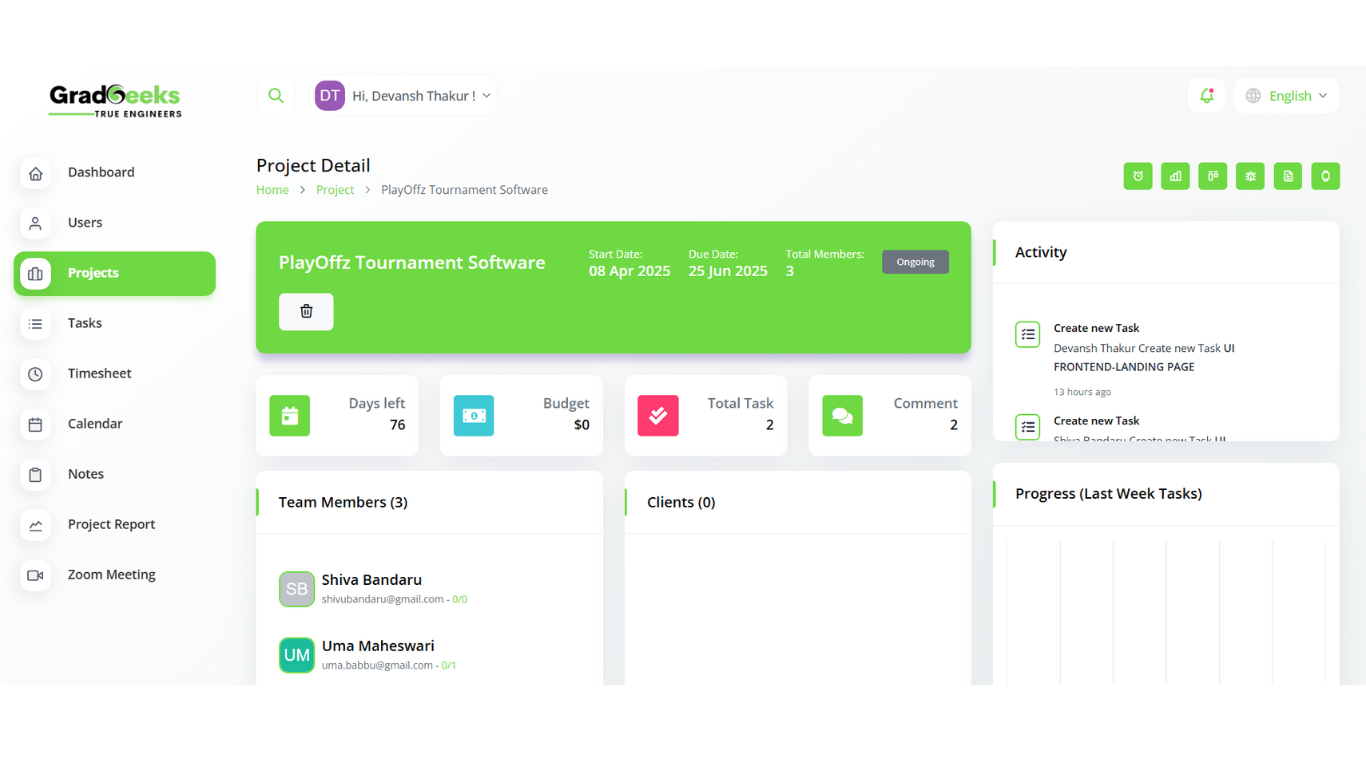
Easily manage multiple projects with real-time tracking, team assignments, and task progress. Keep everything organized in one central hub.
GradGeeks Project Team Meetings help student teams collaborate better, stay aligned, and simulate real corporate workflows — all during your college projects.
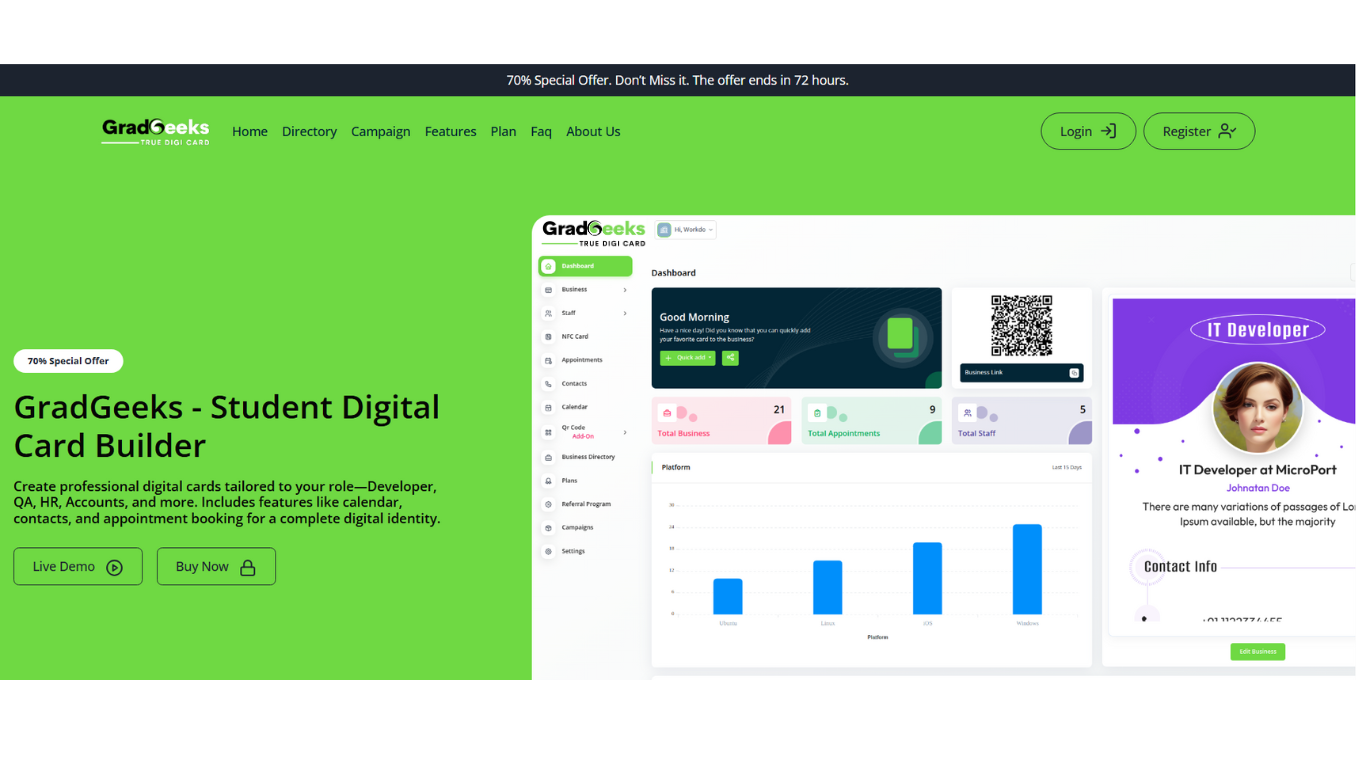
Log in or create a free account to start your student project journey with GradGeeks. Quick, simple, and built to help you stay organized and succeed.

Get a clear overview of all your projects, tasks, and team activity in one place. Track progress, deadlines, and stats with visual charts and smart navigation tools.

Easily manage multiple projects with real-time tracking, team assignments, and task progress. Keep everything organized in one central hub.

Create, assign, and manage tasks effortlessly. Stay on top of deadlines and project goals with a clean, collaborative task board.

Log your daily hours and manage your time across tasks. Build better discipline with a simple and effective time-tracking tool.

Plan and visualize your tasks and deadlines with a clean calendar view. Switch between day, week, and month modes for flexible scheduling.

Capture ideas, reminders, and project details with ease. Share notes with teammates and stay organized with structured note-taking.

Chat in real-time with your team. Discuss tasks, share updates, and keep all your conversations in one place for better collaboration.

Get instant insights into project progress, deadlines, and team assignments. Filter and review everything in a simple, structured view.

Schedule and manage video calls directly from GradGeeks. Collaborate in real-time and stay connected with your team.

Create your personalized digital profile card with key details, skills, and project highlights. Share it easily with peers, mentors, or recruiters — your smart academic ID, all in one place.

Join the GeekTalk Forum to share ideas, ask questions, and collaborate with fellow students. Whether it’s problem-solving, knowledge sharing, or discussing new project ideas, this is your go-to space for academic conversations and innovation.

Create professional, student-focused resumes in minutes with the Smart Resume Builder. Highlight your academic projects, skills, internships, and achievements with ease. Perfect for job applications, internships, and showcasing your journey.

Sharpen your skills with career-focused quizzes and interview preparation tools. Practice aptitude, technical, and HR questions tailored for students and freshers. Build confidence and get job-ready with interactive learning and real-world scenarios.

Kickstart your freelance journey with GradGeeks’ Fiverr-like platform tailored for students. Offer services, showcase your skills, and earn while you learn. Collaborate on real projects and build your portfolio right from college.

Explore curated internship opportunities across various domains, right from your GradGeeks dashboard. Gain real-world experience, apply your skills, and build a strong foundation for your career. Connect with companies and start your professional journey while you study.

GradGeeks connects students with top recruiters directly through the platform. Explore placement opportunities, apply for campus drives, and prepare with confidence. From resume screening to final interviews, we help you every step of the way to land your dream job straight from college.
Empowering students to plan, track, and collaborate on academic projects with real-world precision. GradGeeks brings project management to campus — simple, smart, and tailored for future professionals.
Use these awesome forms to login or create new account in your project for free.
The Data Section allows you to view structured project information like timelines, deliverables, and user interactions. You can export this data for performance reviews or audits.
Each task and bug report allows threaded comments where team members can provide updates, ask questions, or tag others for input—keeping all communications in one place.
To add a new user, go to the New User area within project settings. Enter their details, assign roles, and notify them via email to onboard them instantly into the workspace.
The Notification Template lets you customize s for project activities like task assignments, bug reports, deadline changes, and new file uploads, so your team never misses an update.
Use these awesome forms to login or create new account in your project for free.
Very quick customer support, installing this application on my machine locally, within 5 minutes of creating a ticket, the developer was able to fix the issue I had within 10 minutes. EXCELLENT! Thank you very much
 Prof: Lakshmi Prasanna
Professor
Prof: Lakshmi Prasanna
Professor
Very quick customer support, installing this application on my machine locally, within 5 minutes of creating a ticket, the developer was able to fix the issue I had within 10 minutes. EXCELLENT! Thank you very much
 Shiva Ram
Professor
Shiva Ram
Professor
Very quick customer support, installing this application on my machine locally, within 5 minutes of creating a ticket, the developer was able to fix the issue I had within 10 minutes. EXCELLENT! Thank you very much
 Prof: Satya Vemula
IT Professor
Prof: Satya Vemula
IT Professor
SPIRA is a complete, student-ready project management platform that brings everything under one roof—from task tracking to team collaboration and digital project utilities. Designed for academic use but built with real-world tools in mind, SPIRA offers speed, performance, and flexibility. The best part? No strict limitations or recurring fees. With full control over workflows, layout, and features, SPIRA is perfect for student teams, freelancers, or anyone preparing to enter the corporate world. — Team GradGeeks






.png)


.png)
.png)
.png)